Fair by load
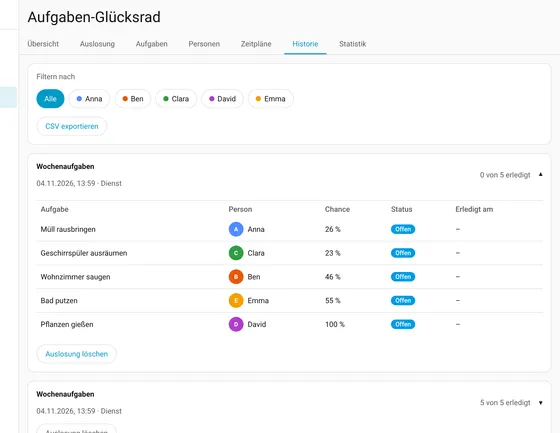
Whoever has had fewer points than their fair share in the period gets a bigger chance. The fair share depends on load capacity (full, half, paused) and on the days the person is around.
Open source · Home Assistant · v0.4.0
Who vacuums the living room today? The wheel decides: fairly, with a bit of fun and right inside Home Assistant. Whoever has done less lately or can take more load gets the bigger chance.
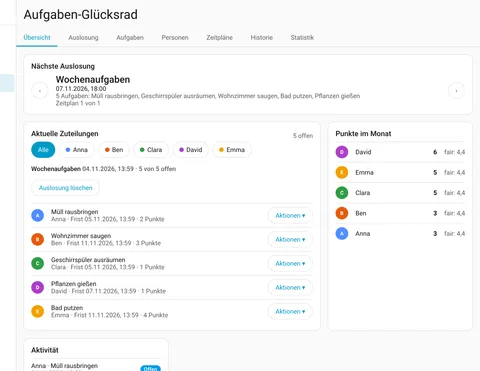
Features
Whoever has had fewer points than their fair share in the period gets a bigger chance. The fair share depends on load capacity (full, half, paused) and on the days the person is around.
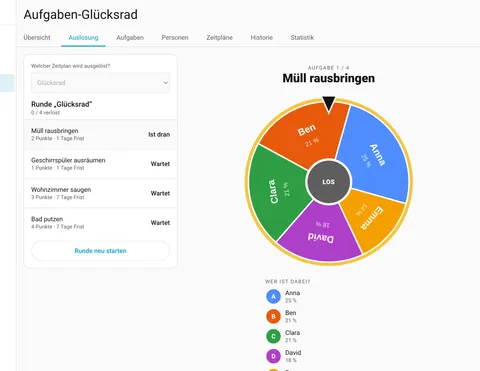
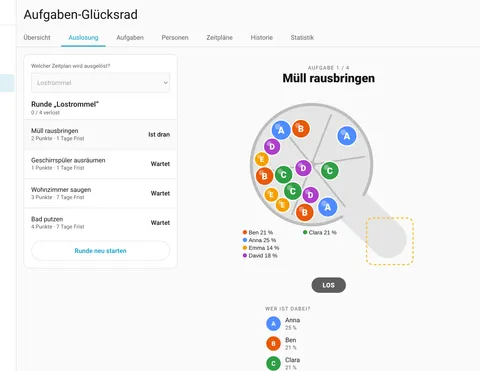
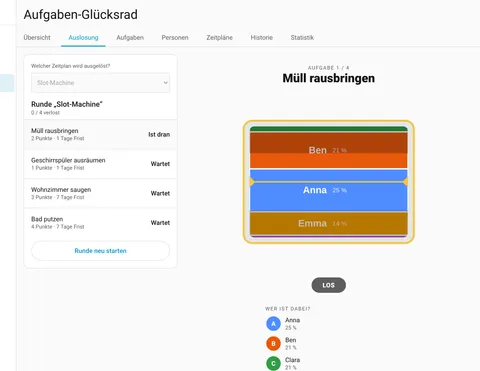
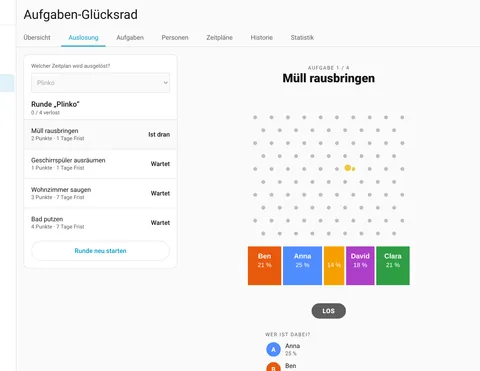
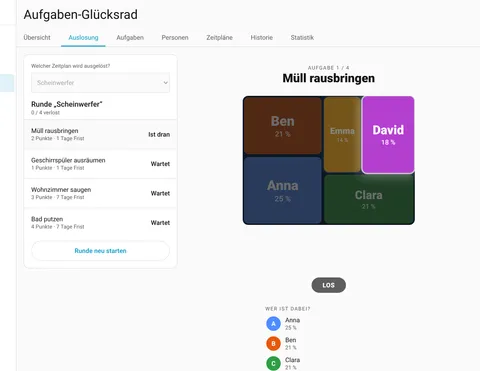
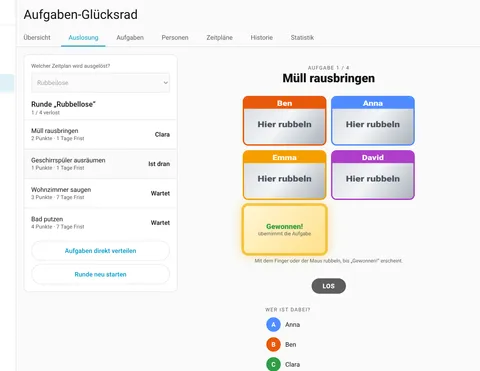
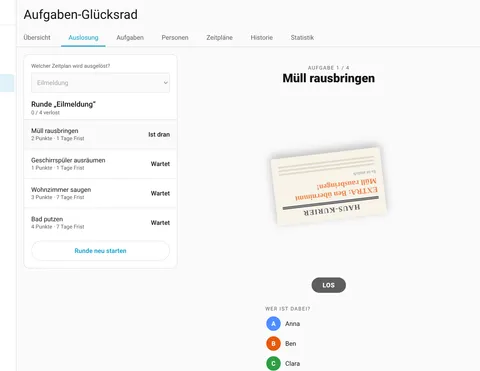
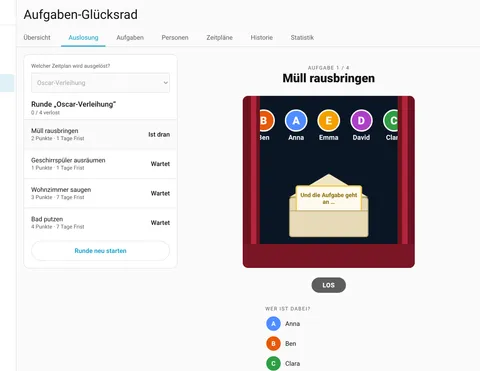
Wheel of fortune, lottery drum, slot machine, Plinko, spotlight, scratch cards, breaking news and an award ceremony. For the first five the size equals the chance; the others deliberately show none. For each schedule you pick the allowed variants, and with several one is picked at random each time.
People are objects of their own, independent of Home Assistant users, with a colour, a load capacity and an optional notification. Absences apply once, on fixed weekdays, in a weekly rhythm or recurring, such as “every second Wednesday”.
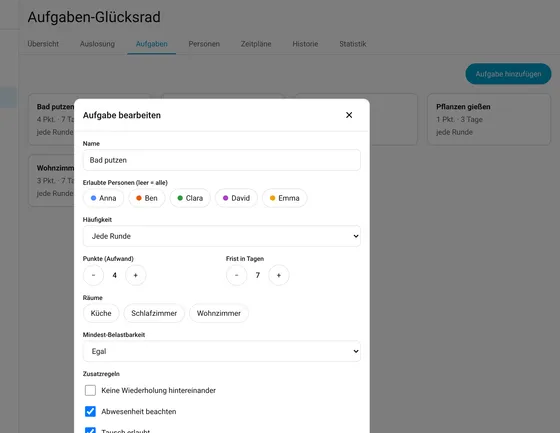
Allowed people, points as effort, a deadline and a frequency: every round, at most n× per period or a fixed interval with tolerance. Plus a minimum load capacity and optionally an area from Home Assistant.
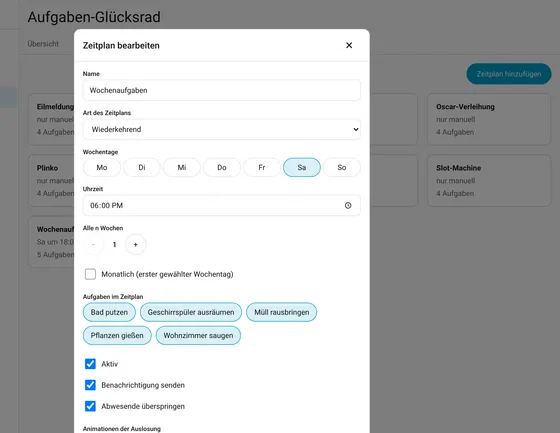
Recurring, one-off or manual only, with a reminder if no draw happened for too long. Draws run automatically or in the panel with an animation; each person gets at most one task per round.
Tasks can be swapped within a draw with people who are allowed to take them. “Stays undone” exists too: it counts like missed in points and statistics.
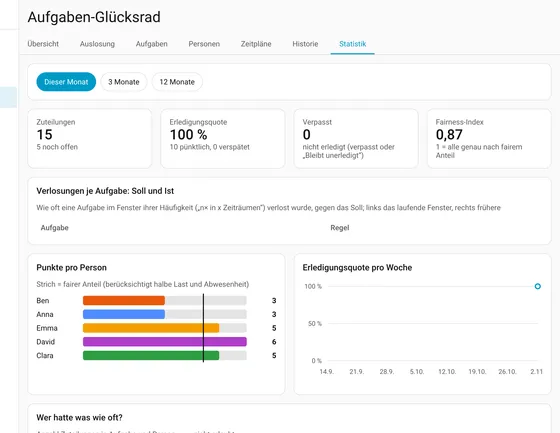
Every draw in the history with CSV export. The statistics show the fair share, completion rate, the task × person matrix and the draws per task against the target.
Services (task_wheel.draw, complete, swap, set_absence), events for automations, sensors for open tasks and points, a to-do list per person (checking one off completes the task) and a button per schedule. Push messages go through any notify target.
The draw
Views
Overview, tasks, schedules, history and statistics, just as usable on a tablet and a phone as on a computer.
Installation
https://github.com/stacknoise/hass-task-wheel-of-fortune with the type Integration, or use the button above.action: task_wheel.draw
data:
schedule: weekly-planThe integration is not yet in the default HACS list and is installed as a custom repository. All services, events and entities are documented in the README on GitHub. README on GitHub ↗

Questions, ideas or a bug? An issue on GitHub helps, and so does an email.